TinyScatterer
A downloadable tool
TinyScatterer
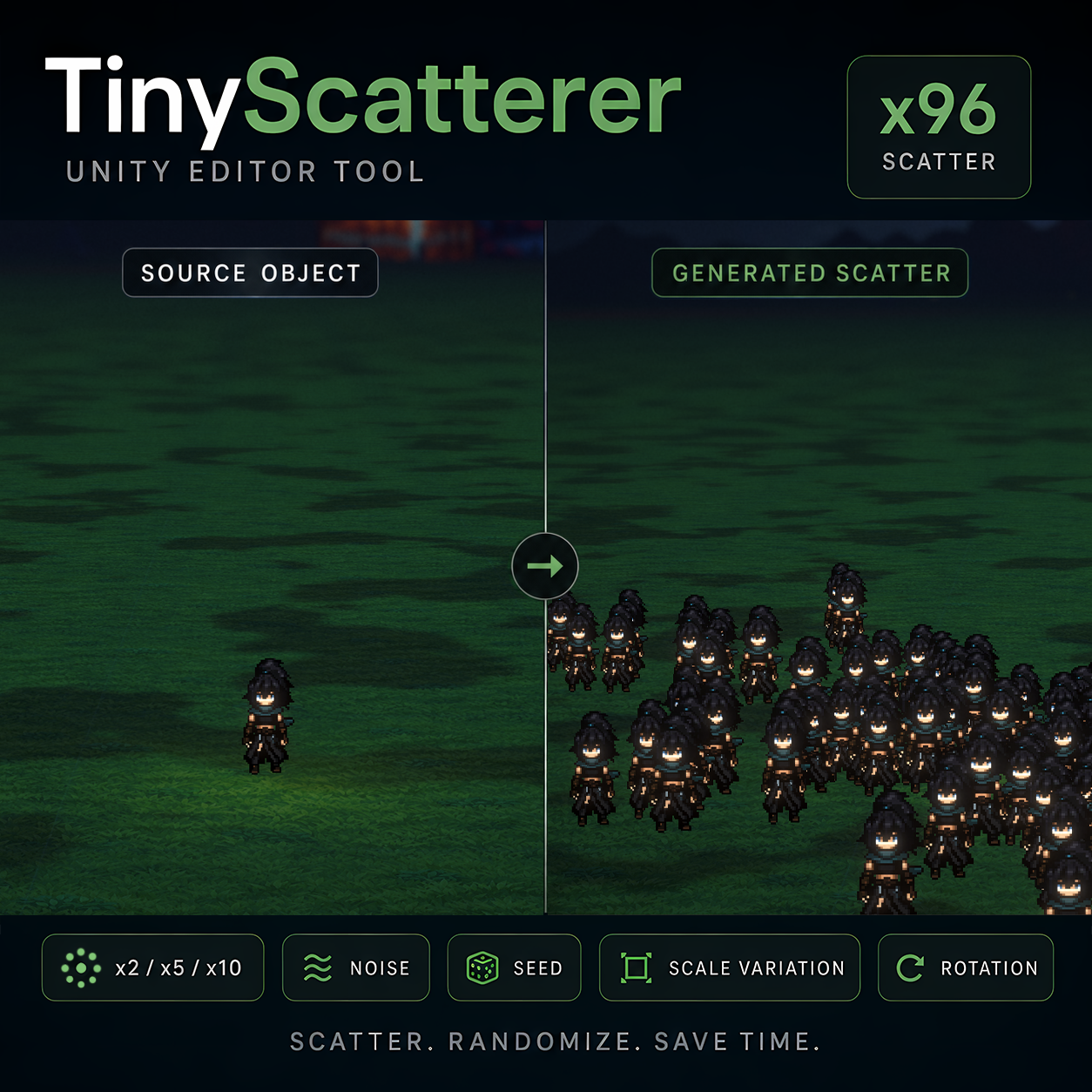
A tiny Unity editor tool for scattering child objects into quick organic layouts.
TinyScatterer started as a small level-design helper.
I was working on a scene and hit that familiar blank-canvas problem: the environment was there, but it still felt empty. I figured I would start by dropping in a few trees, rocks, and small props just to get some ideas moving.
Then I placed one object.
Then another.
Then I realized I did not want to spend the next hour manually duplicating, moving, rotating, scaling, and organizing every little piece of scene dressing.
So the first version was simple:
take one child object, duplicate it, scatter it across X/Z.
That was useful, but pure random placement quickly looked too mechanical. So the tool grew a little:
- add scale variation
- add optional rotation
- add seed-based regeneration
- add noise patterns
- keep the hierarchy clean
- make regeneration safe
- make it work directly in Edit Mode
That became TinyScatterer.
It is not a huge procedural world-building system. It is not a terrain painter. It is not a complicated framework.
It is a small, practical Unity editor tool for one very common task:
turn a few source objects into fast, readable, organic scatter.
What It Does
Drop one or more objects under a parent, add the TinyScatterer component, and click:
- x2
- x5
- x10
TinyScatterer creates scattered copies under a dedicated:
_Generated Scatter
container, keeping your original source objects safe and your hierarchy clean.
You can regenerate the result, try another seed, tweak the spread, change the noise style, randomize scale, add rotation, or clear the generated objects without hunting through your scene manually.
Features
- One simple Unity editor tool
- No dependencies
- Works in Edit Mode
- Quick scatter buttons: x2 / x5 / x10
- Non-destructive workflow
- Generated objects stay inside
_Generated Scatter - Original source children remain safe
- Regenerate without stacking infinite duplicates
- Clear only generated objects
- Scatter across X/Z with fixed Y
- Random scale variation
- Optional random Y rotation
- Seed-based regeneration
- Multiple lightweight scatter patterns
- Clean custom inspector
- Useful for 2D, 2.5D, and 3D scene dressing
Scatter Styles
TinyScatterer includes several simple placement flavors:
- Pure Random — simple random placement
- Soft Perlin — more organic drifting placement
- Clumpy — small clustered layouts
- Rows — loose row-like distribution
- Ring — oval or circular placement
- Organic Patch — natural patch-style distribution
These modes are intentionally lightweight. They are not trying to simulate nature perfectly. They are meant to give you fast, useful, tweakable placement options while you are building a scene.
Good For
TinyScatterer works well for:
- Trees
- Rocks
- Flowers
- Grass patches
- Mushrooms
- Crates
- Barrels
- Ruins
- Debris
- Environmental props
- Decorative clutter
- Background detail
- Fast level dressing
Quick Start
- Create an empty GameObject.
- Add one or more source objects as children.
- Add the
TinyScatterercomponent to the parent. - Click x2, x5, or x10.
- Generated objects appear under
_Generated Scatter. - Tweak spread, noise, scale, rotation, or seed.
- Regenerate whenever you want a new layout.
Why Use It?
Sometimes you do not need a full procedural placement framework.
Sometimes you just need to break the blank page.
TinyScatterer is made for that moment when you want to quickly test visual density, fill a patch of terrain, dress a background, scatter some rocks, place a cluster of trees, or create enough environmental rhythm to start making better design decisions.
It helps you move from:
“I have one prop.”
to:
“Now I can actually see the scene forming.”
What This Is Not
TinyScatterer is not:
- a terrain painting system
- a runtime spawner
- a collision-aware placement framework
- a procedural world generator
- a replacement for hand-crafted level design
It is a small editor helper focused on one practical workflow:
scatter child objects quickly and cleanly.
Included
TinyScatterer.cs- README
- LICENSE
- CHANGELOG
- Demo scene
Installation
Import the .unitypackage into Unity.
Or download the .zip and copy the TinyScatterer folder into your project.
Then add the TinyScatterer component to any parent GameObject that contains source children.
License
You can use TinyScatterer in personal and commercial Unity projects.
You may not resell, redistribute, repackage, or upload the tool itself as a standalone product.
Download
This tool is currently unavailable
Leave a comment
Log in with itch.io to leave a comment.